One record. Read from four chairs.
A records request is a row on the law firm’s Requests screen and a row in the clinic’s Inbox at the same moment — the same state, the same clock, the same history. Injury Docs is one renderer over that record. The kind of organisation you sign in as decides which rail mounts: it is not two apps with a sync between them. This page finds the chair you sit in, and the page that was written for it.
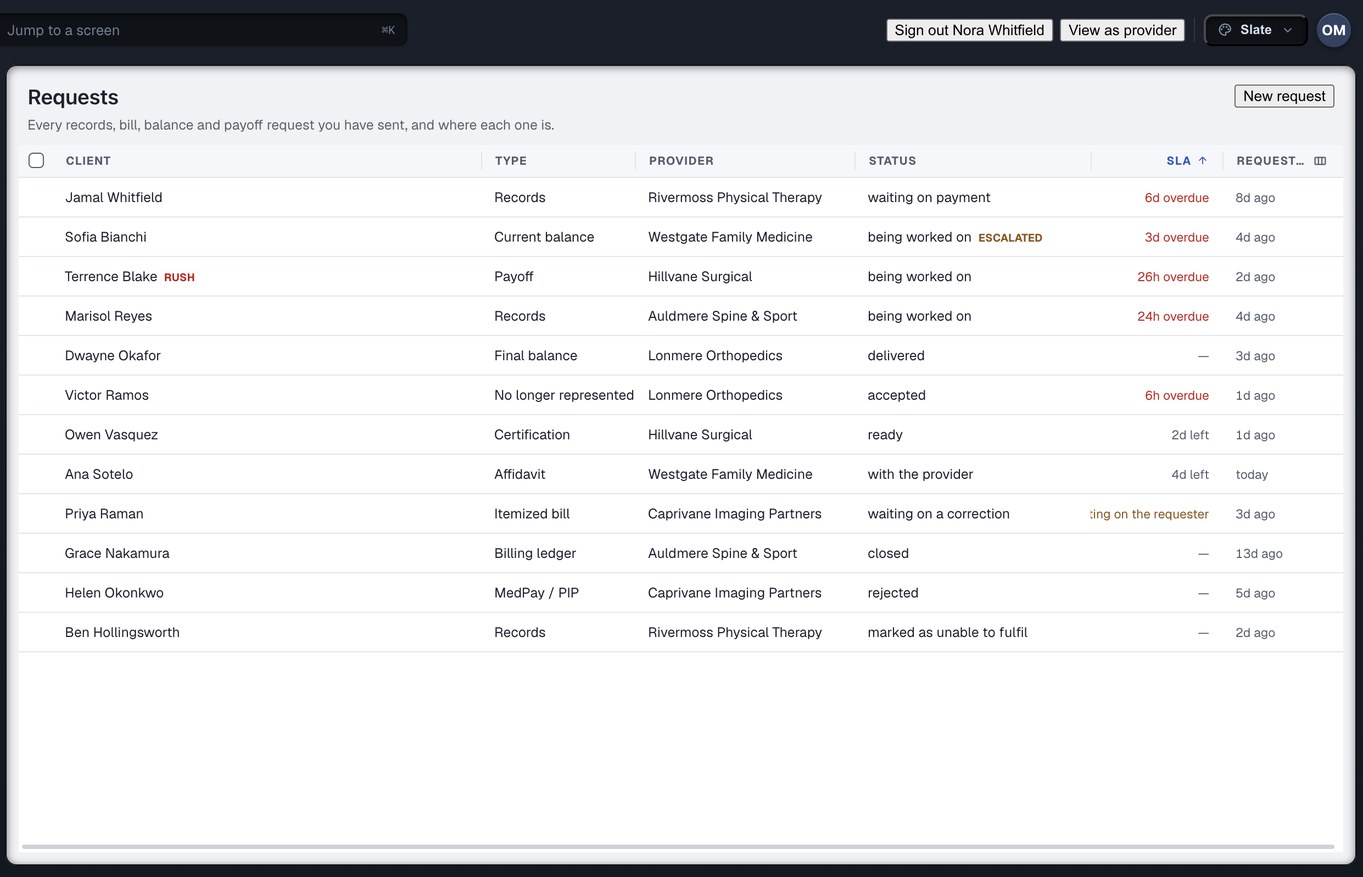
Captured from the running build, 24 September 2026. Demonstration data — every name, matter and figure is a fixture, not a real client, clinic or balance.
Four kinds of organisation open the same record
Every account belongs to one organisation, and every organisation is one of four kinds. The kind decides what mounts when you sign in. The role decides what you may do once it has.
Law firms
11 ROLES · 14 DESTINATIONSThe personal-injury firm that raises the request, reads what came back, negotiates the reduction and disburses. The firm rail mounts: Dashboard, the exchange, the money, experts, reports and settings. Six pages below, one for each desk in the firm.
Medical providers
9 ROLES · ITS OWN RAILThe clinic, imaging centre, surgical centre, physical-therapy or chiropractic practice treating on a lien or letter of protection. The provider rail mounts: Inbox first and alone, then the work, then the money, then analytics. Four pages below.
Partners
7 ROLES · NO RAIL OF THEIR OWNEveryone who touches a matter and is neither the firm nor the clinic: outside records custodians, release-of-information vendors, experts. A partner account describes their own shop. Anything of yours reaches them only by a grant you issued. Two pages below.
Injured people
NO ACCOUNTThe person whose chart and whose bills are moving between the other three. There is no account for them, and none is planned. One page below, written to explain rather than to sell.
Six desks in a firm, six pages
The firm is where a request begins and where the money ends. Eleven roles are defined for it; every one of them is covered by one of the six pages below, and the family page reads them together.
Read what came back, then decide
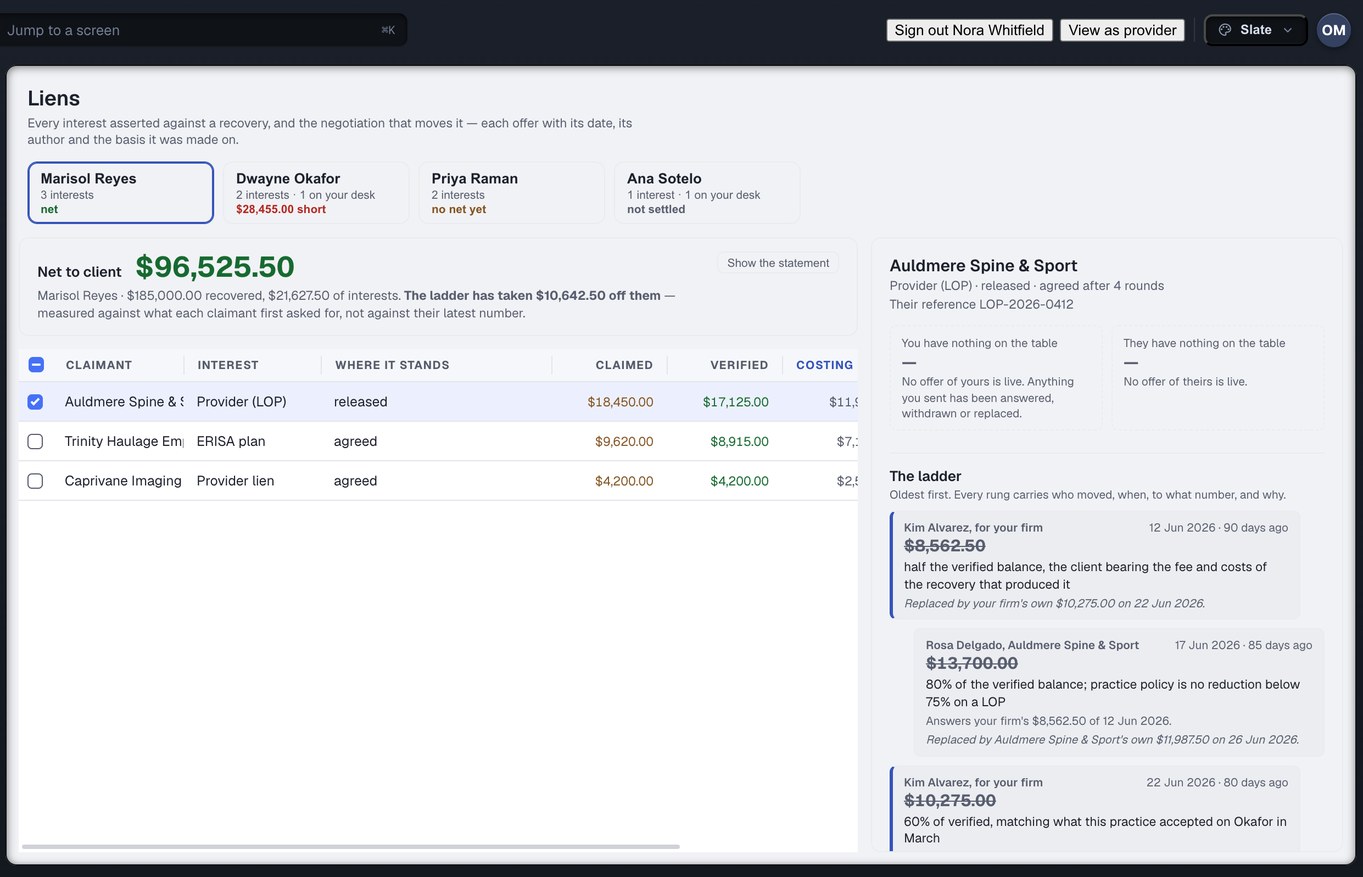
You do not send the requests. You need to know whether the chart is complete for the window you asked for, which affidavits are sworn, what every reduction offer was and why. Each answer is derived from the record, never from a status somebody typed.
For attorneys →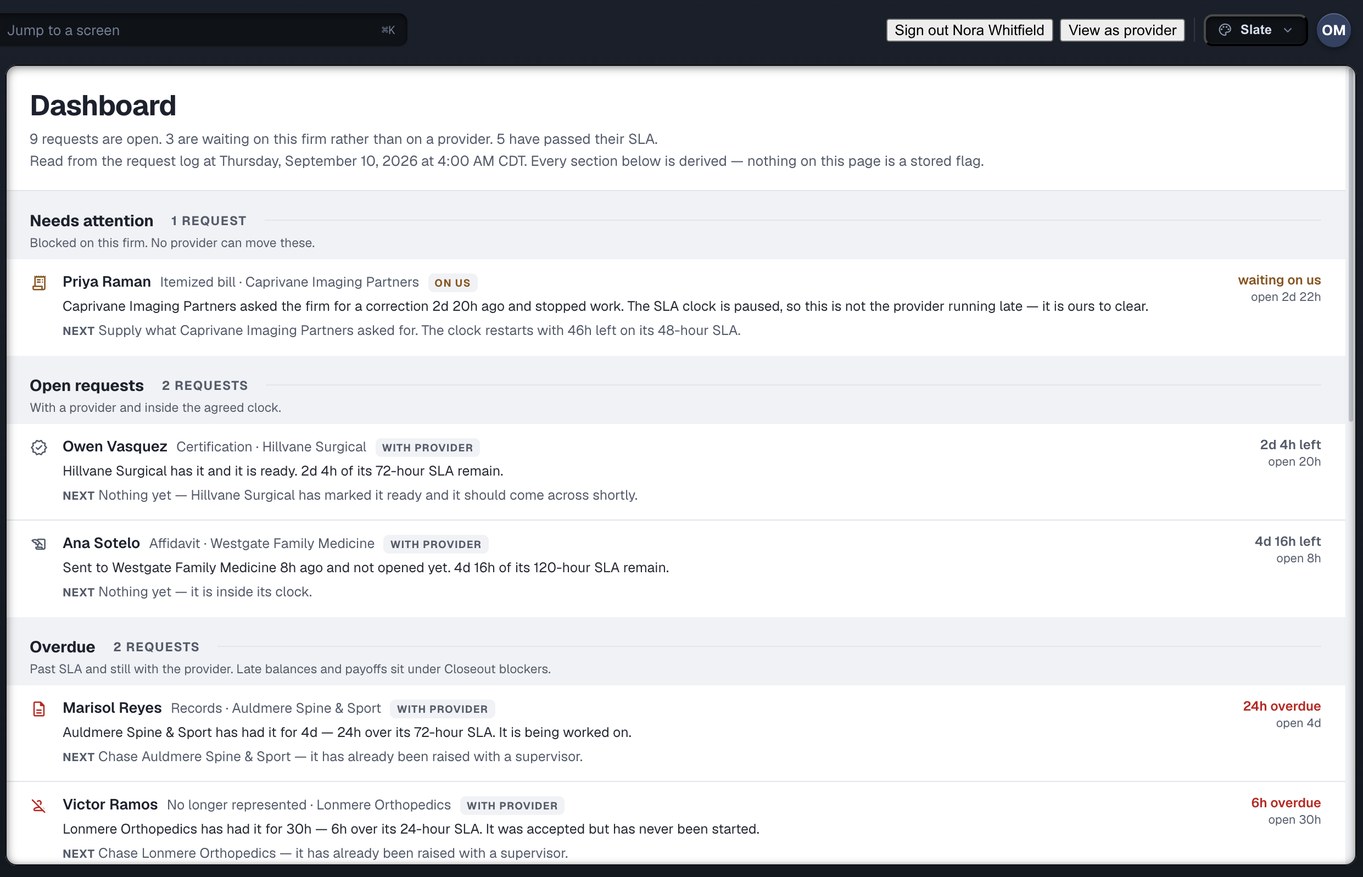
The clinic relationship on one clock
You place the client, chase the chart and answer the partner’s question about why the case is eight months old. The dashboard says what is overdue, what is waiting on the firm rather than on a clinic, and what was just fulfilled so somebody collects it.
For case managers →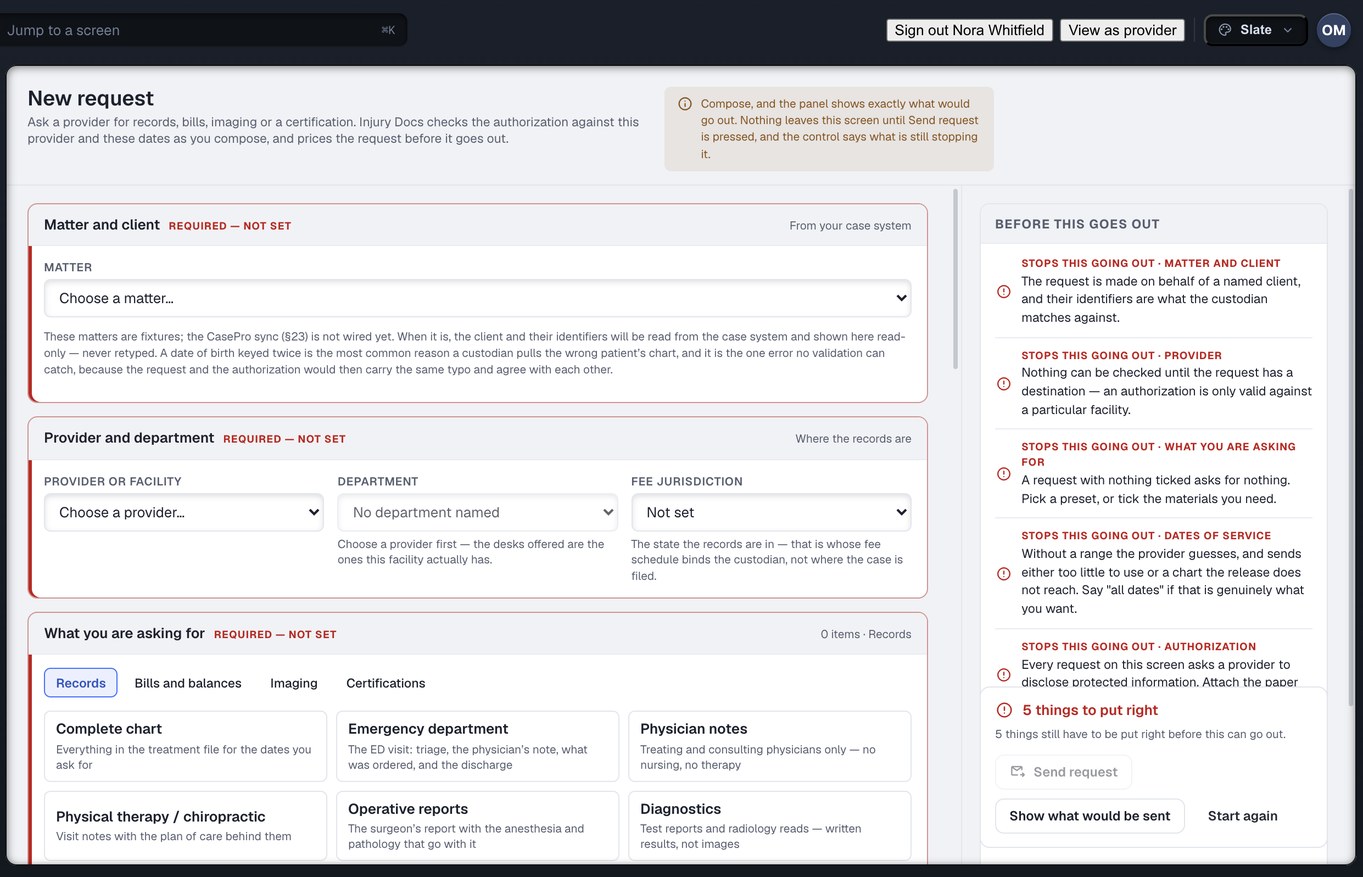
Raise it once, then know where it is
You raise the ask and you own the authorisation vault. A request here carries a list of named materials rather than a paragraph, the release is checked before it goes, and afterwards “where is the Reyes chart” has an answer at every point in its life.
For records specialists →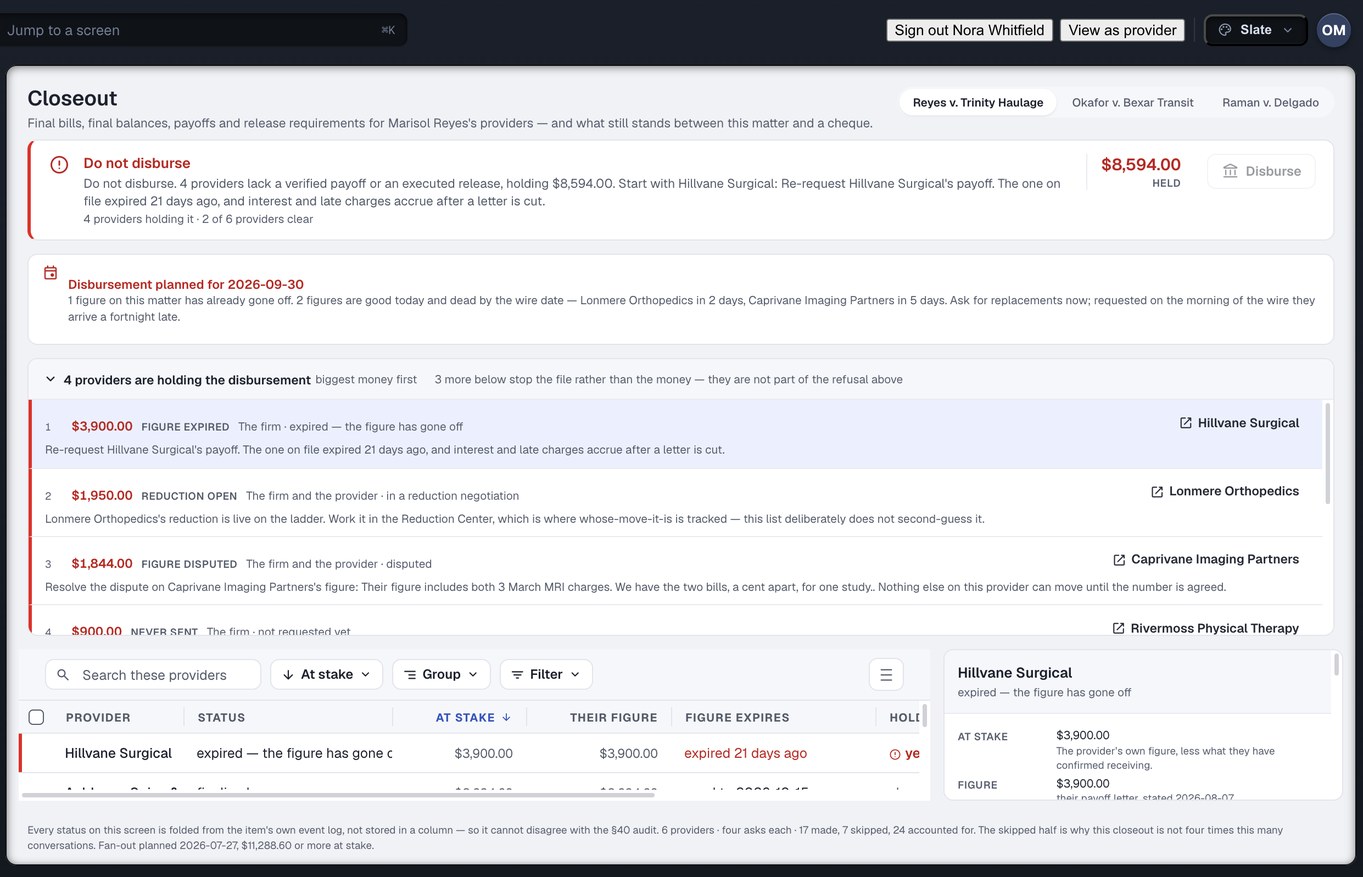
The afternoon the case settles
One settlement starts a dozen conversations, each owing a final bill, a final balance, a payoff and a release. Closeout puts one row per clinic on one screen and answers a single question out loud: can the firm disburse yet, and if not, whose move is it.
For settlement and accounting →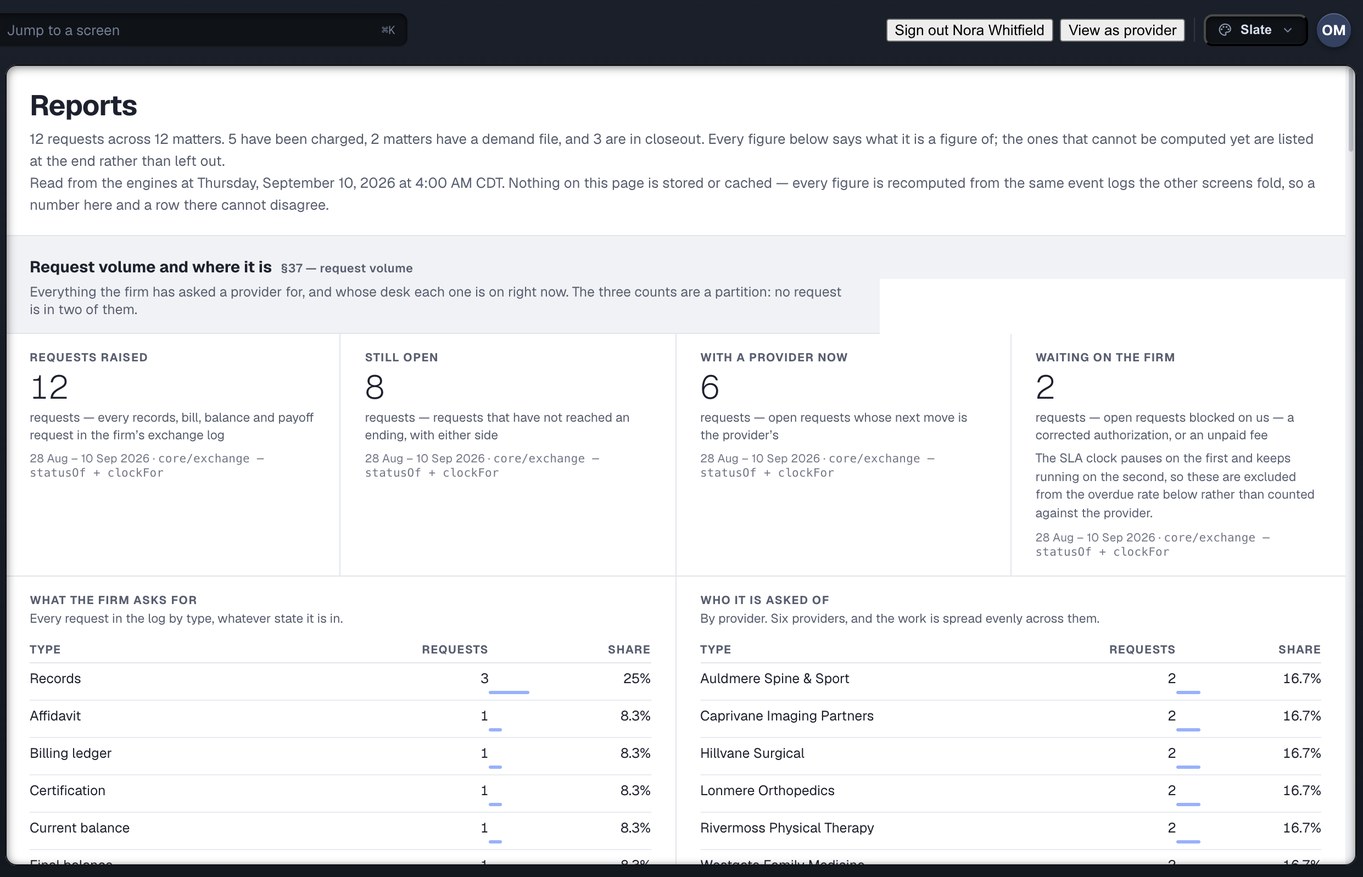
The firm owns the record
You decide who at the firm sees the money and who may move it. The owner holds everything; the admin runs the account and cannot pay; a custom role starts from nothing, so a mistake is a missing permission somebody reports, not a surplus one nobody does.
For owners and admins →
Four hundred requests, blast radius first
Raising hundreds of requests at once is a workload, not a role, and it needs the cost to the cent, the duplicates of something already open and the rows with no authorisation on file shown before the button — not on an invoice three weeks later.
For mass tort teams →Captured from the running build, 24 September 2026. Demonstration data — every name, matter and figure is a fixture.
Which page covers which role. Owner and admin — owners and admins. Attorney — attorneys. Case manager and medical coordinator — case managers. Records specialist and intake — records specialists. Settlement and accounting — settlement and accounting. Read-only and custom are roles the owner hands out rather than desks anybody sits at, so they are explained on the owners and admins page. Mass tort is a workload any of these desks can carry, and has its own page for that reason.
Four desks in a practice, four pages
The clinic is where the request lands and where the money is owed. Nine roles are defined for it. The four pages below are written for the people who actually hold those roles, and the family page reads the whole desk together.
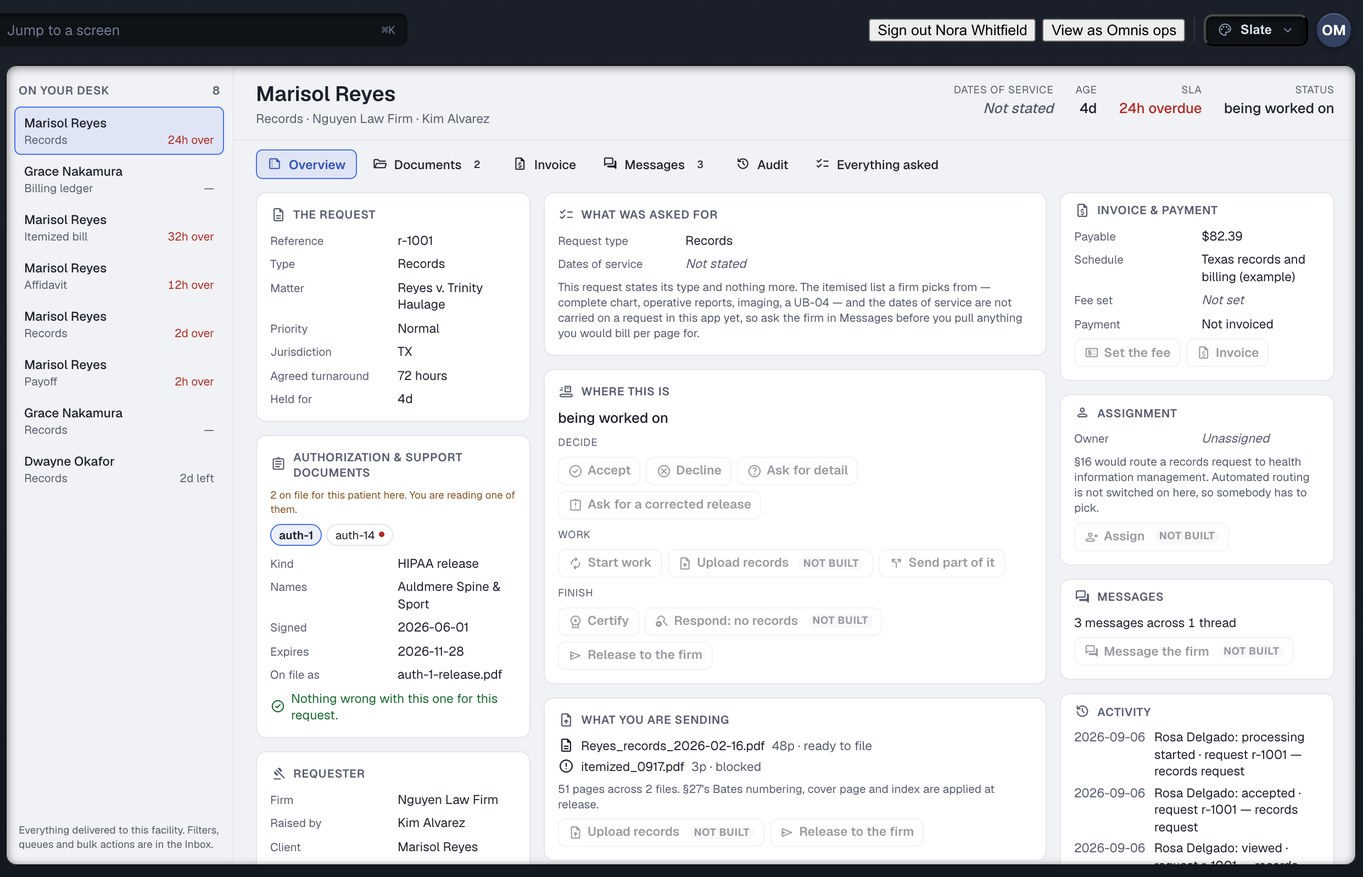
The release desk as a work queue
You fulfil records, bills and imaging requests and certify what you send. The queue is oldest and most overdue first, the release is checked before anything leaves the building, and a chart sent in three batches has a state of its own rather than a lie in either direction.
For records custodians →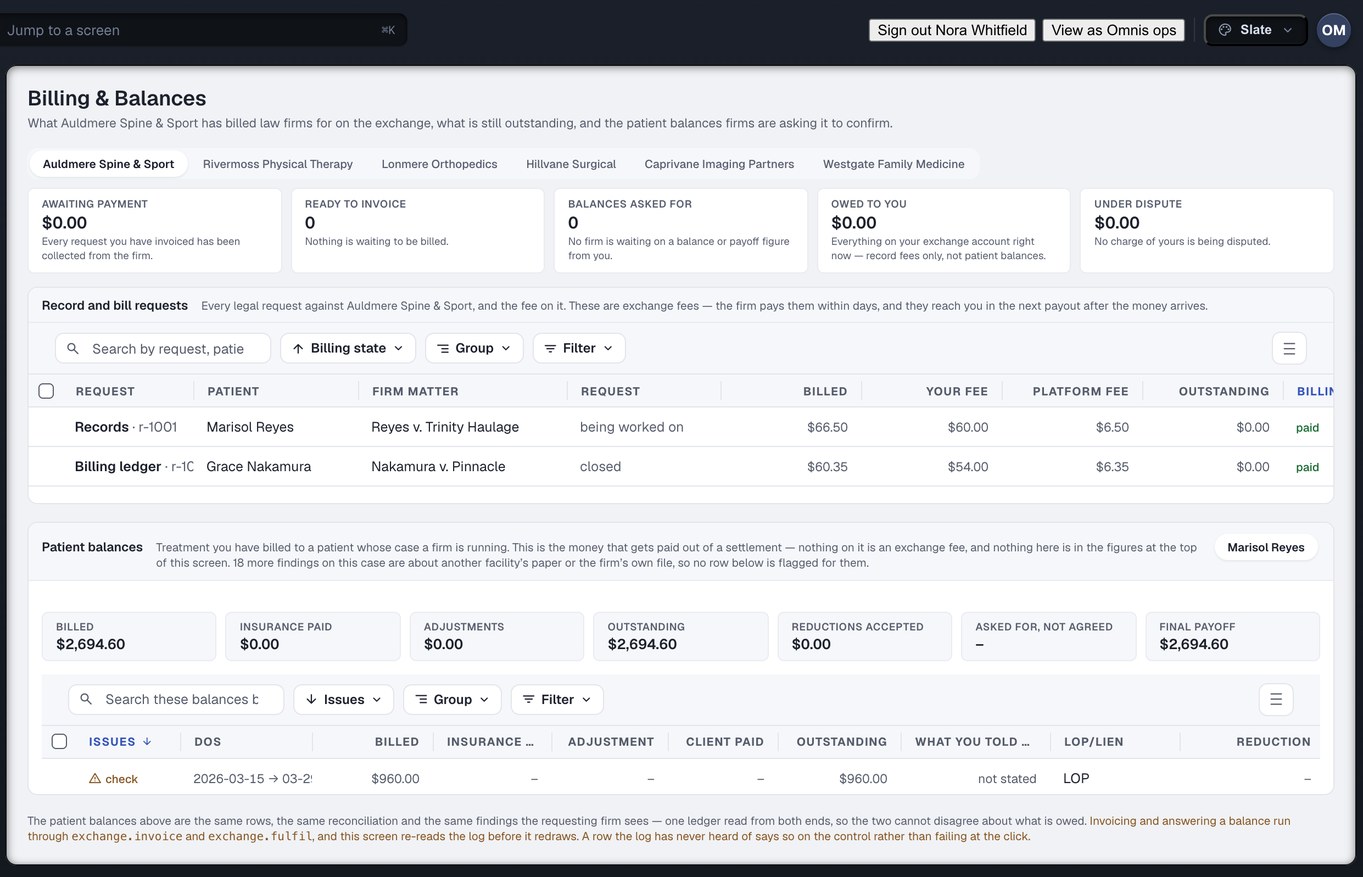
Balances and payoffs on one ledger
You price records, issue invoices and answer the balance and payoff requests. The ledger you read is the one the firm reads — the same derivation, not a copy — and where they reconcile a bill you see the amount removed and their stated reason, word for word.
For billing staff →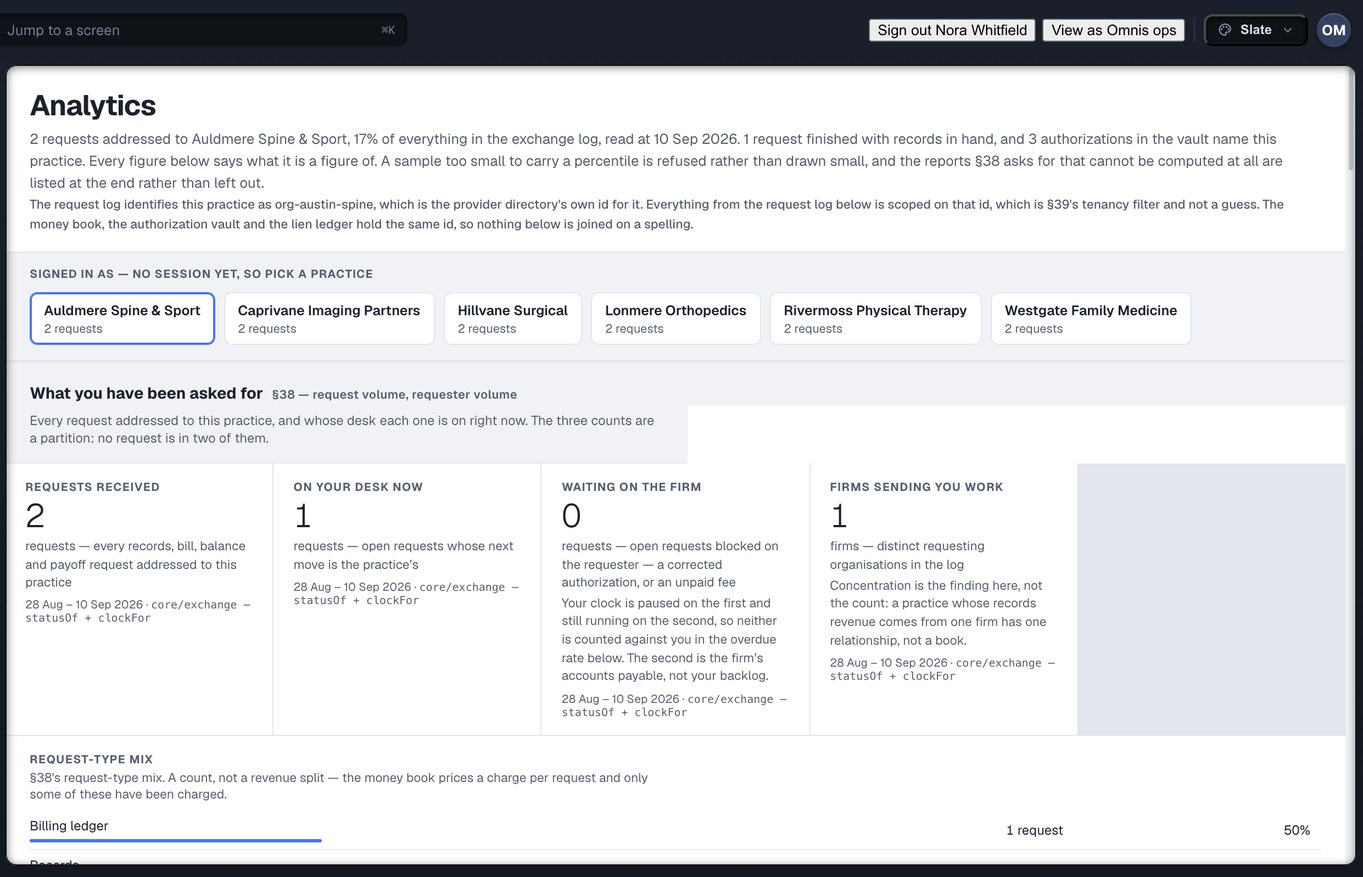
Your standing, explained
You run the office, the fee schedule and the people. Your overdue rate is computed from hours you actually held the work, with every interval spent waiting on a firm excluded, and a figure the data cannot support is shown as a gap rather than filled in.
For owners and office managers →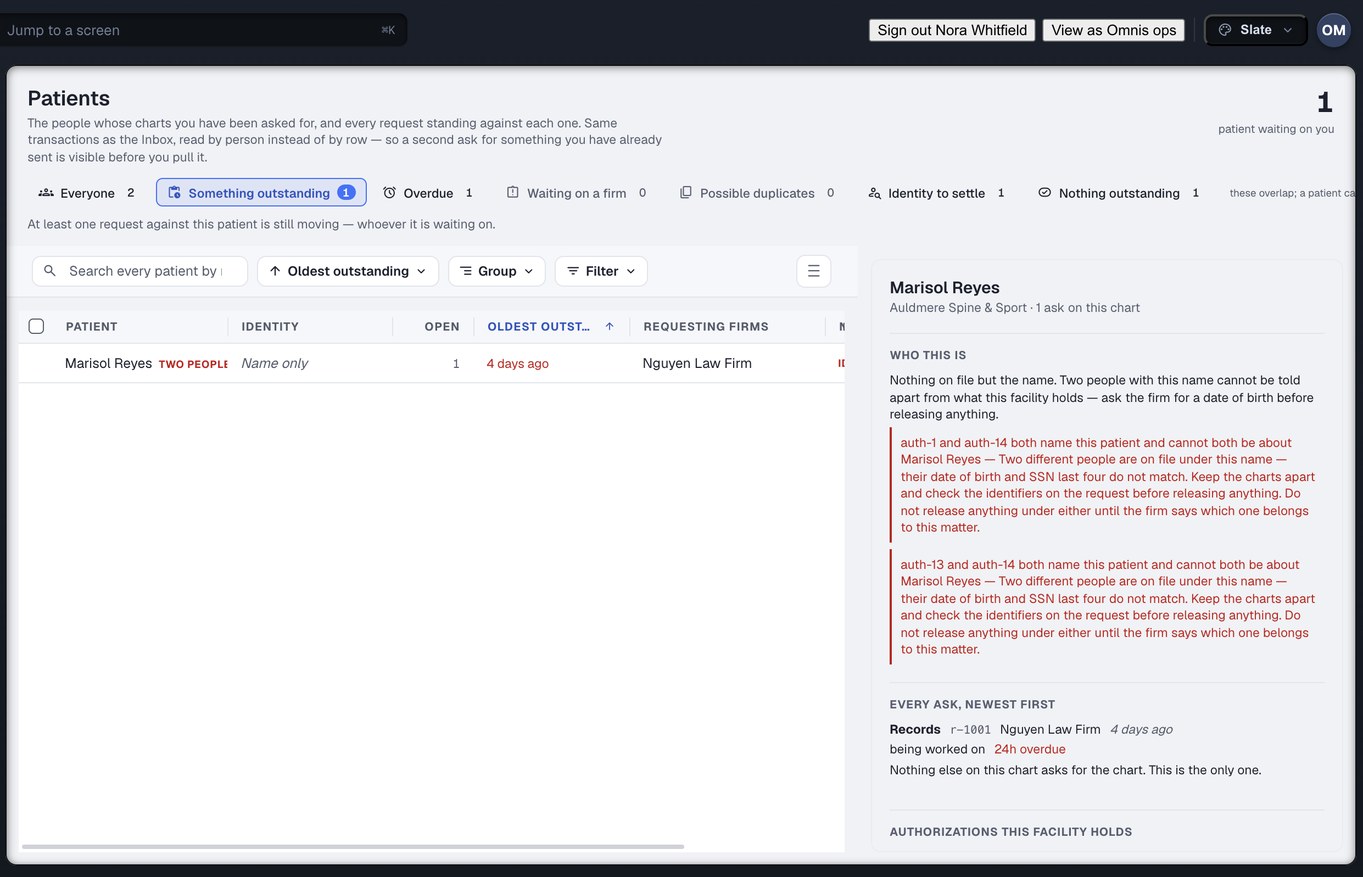
What never reaches your desk
A clinician sees the chart and signs the record, and sees no pricing. Scheduling takes the inbound referral and sees no money. Read-only can look and cannot copy out. The Patients screen is records — whose charts were asked for — and is not practice software.
For clinicians and front desk →Captured from the running build, 24 September 2026. Demonstration data — every name, matter and figure is a fixture.
Which page covers which role. Owner, admin and office manager — owners and office managers. Records — records custodians. Billing and the finance role that owns the practice’s personal-injury balances — billing staff. Clinician, scheduling and read-only — clinicians and front desk.
A grant, not a login
A partner is anyone who touches a matter and is neither the firm nor the clinic. Their account describes their own shop — their own queue, their own staff, their own invoices — and grants nothing about anybody else’s data. What reaches them arrives as a delegation issued by the owner of that data, naming the verbs and the objects it covers, with an expiry that cannot be left blank.
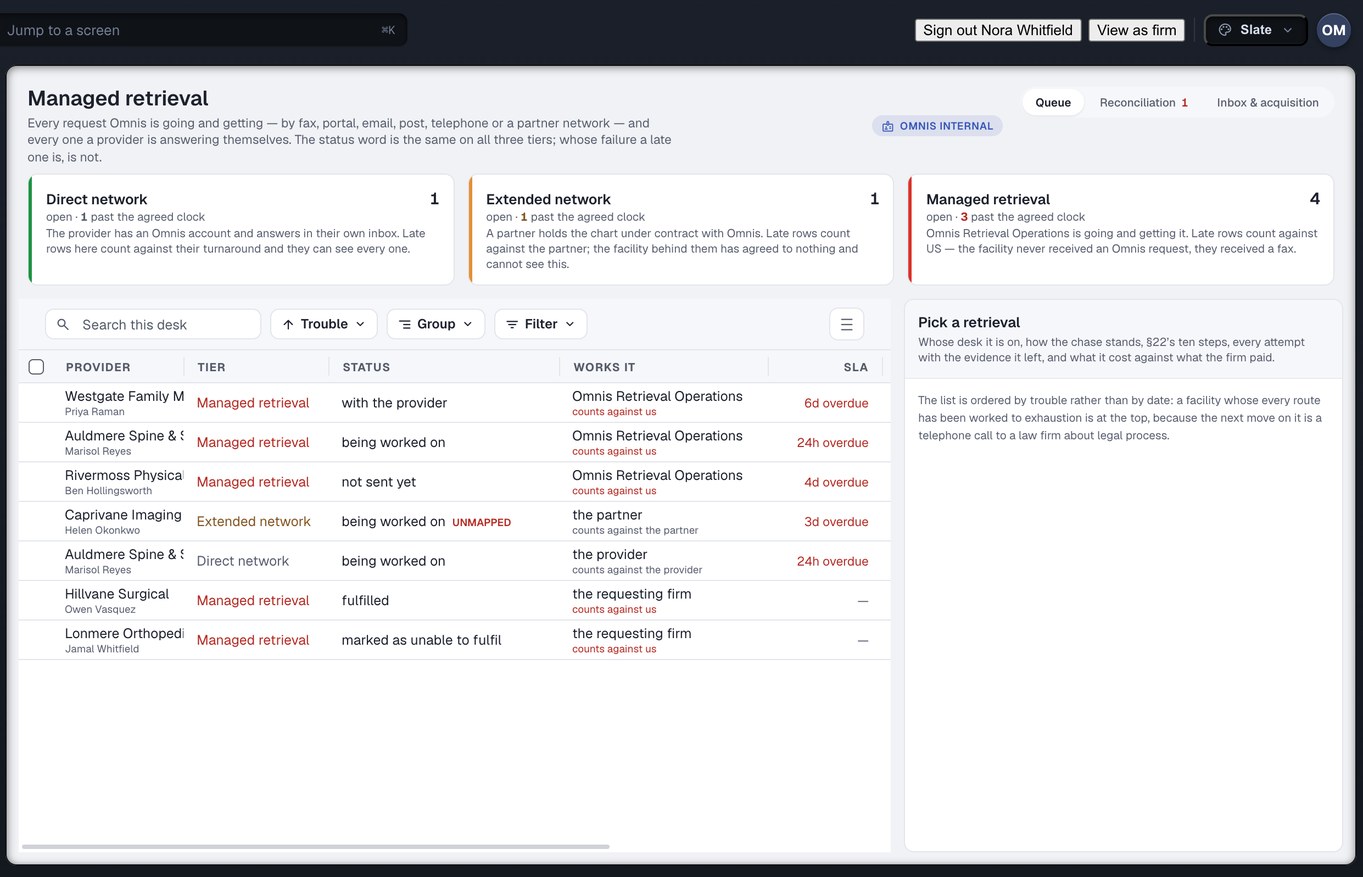
Delegated requests, and nothing else in the account
You hold or fulfil records for a provider who has delegated specific requests to you. You see those requests and their authorisations, and you see nothing else in that provider’s account. Revoking the delegation takes the access away, because the delegation was the only road in.
For custodians and ROI vendors →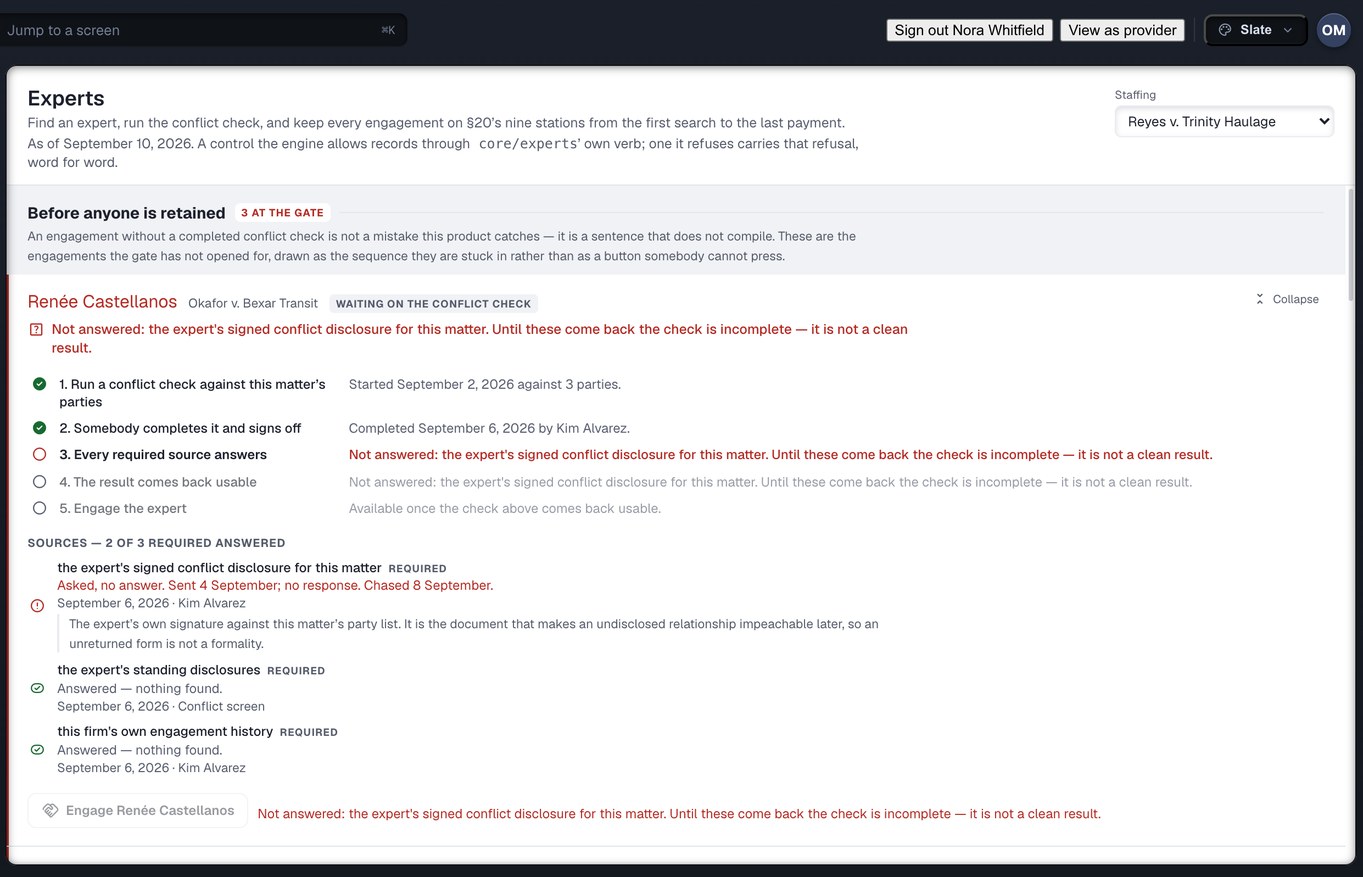
Retained on the record, never rated on it
A firm cannot construct an engagement of you without a conflict clearance attached to it; there is no path around the gate, so nothing depends on anyone being careful. Your side is the engagements you have taken and the documents that came with them — the firm’s file is not yours to read.
For experts →Captured from the running build, 24 September 2026. Demonstration data — every name, matter and figure is a fixture. The retrieval desk shown is Omnis’s own; a custodian sees the requests delegated to them, not this queue.
Interpreters and transportation providers. Both hold partner accounts. Each one takes assignments on named appointments — an interpretation booking or a transport booking against a referral a firm placed — and sees the appointment it was assigned to, not the matter behind it. Neither has a rail of its own and neither has a page on this site; the account exists so the assignment is a tracked object with an owner rather than a text message to a mobile number.
There is no account for you, and that is deliberate
Injury Docs has no login, portal, app or screen of any kind for the injured person. The “Patients” screen in the product is the clinic’s list of whose charts have been asked for. The page below exists because your lawyer’s office and your clinic use this, and you are entitled to know what it does with your records.
What happens to your records
Your release is checked before anything is disclosed, so a form that does not cover the clinic, the dates or the records asked for stops the request. Your bills are reconciled on one ledger your lawyer and your clinic both read. And you are not the one chasing your own clinic for your own chart. Nothing on that page asks you to sign up for anything, because there is nothing to sign up for.
Read the patient page →The fourth chair is ours. Omnis network operations is the organisation kind that works managed retrieval — requests chased on a firm’s behalf against providers who have never heard of us. It has ten roles and a rail of three destinations (the retrieval desk, exceptions and settings), and it is deliberately short: a working desk for Omnis staff, never a way to sign in as a firm. It has no page on this site.
Pick your chair. The record is the same one.
A firm account mounts the firm rail; a practice account mounts the provider rail. Either way you are reading the same request, the same clock and the same ledger as the desk on the other side of it.
A partner? How a grant reaches you → · An injured person? What happens to your records → · How the record is kept: Technology →