One exchange. Two desks. No sync in the middle.
Injury Docs is one application. The firm and the clinic are not two products that talk to each other overnight — they are two navigations over one transaction. What follows is how that is actually assembled, with the counts taken from the build rather than from a deck.
The organisation you signed in as decides what mounts
There is no firm app and no clinic app. There is one renderer and one component set, and the kind of organisation on your account decides which rail is mounted beside it. A request is a row in your Requests screen and a row in the clinic’s Inbox at the same moment, with the same state and the same clock, because it is the same row.
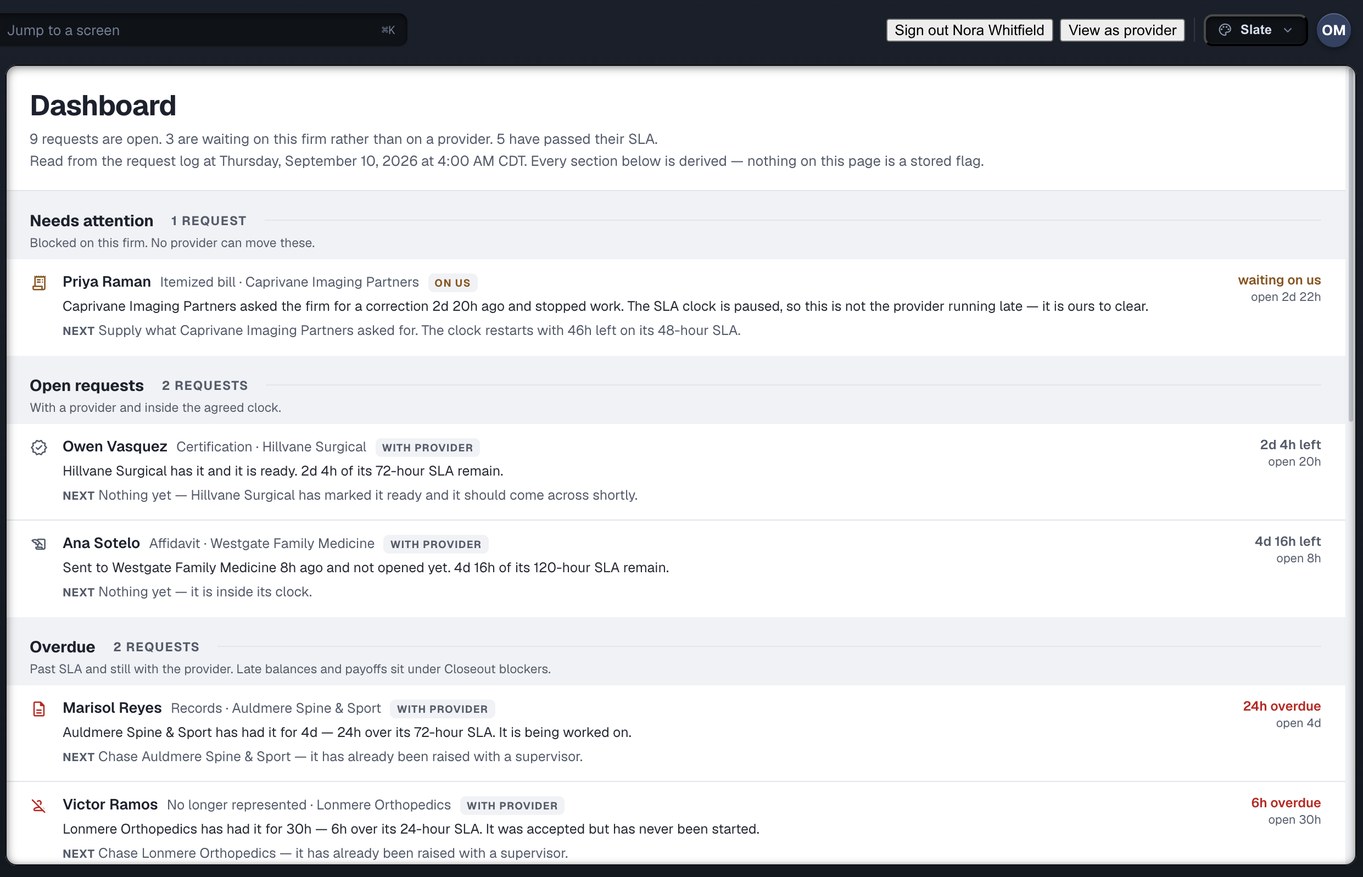
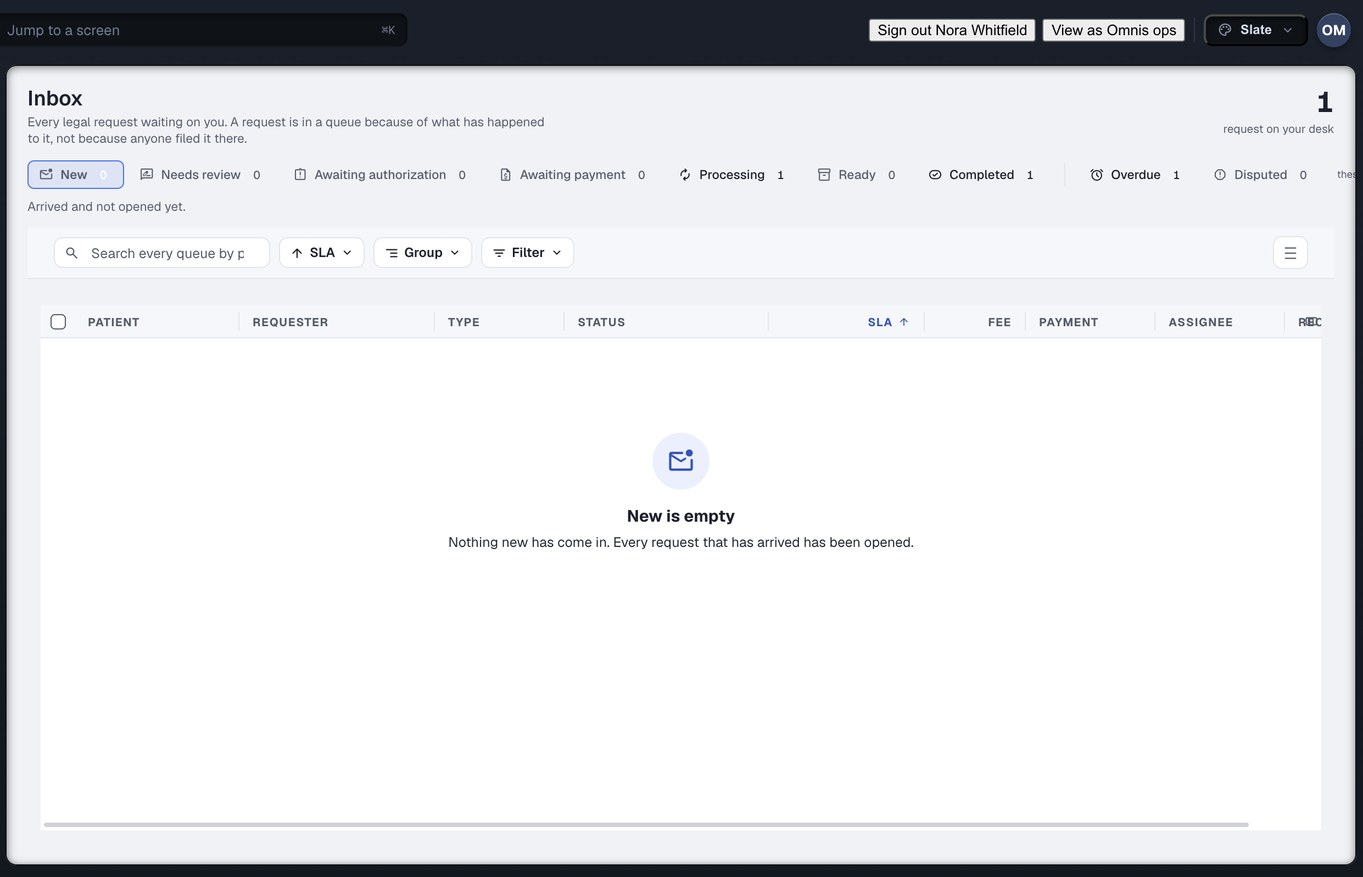
Four organisation families
Everyone who touches a records request belongs to one of four kinds of organisation. Three of them have a rail. The fourth is everyone who is neither side of the exchange but is still needed to finish it — and giving them real accounts rather than an email address is what makes several of the flows possible at all.
Law firms
Personal-injury plaintiff firms. Fourteen destinations, from the request builder through to closeout.
Clinics
Imaging, surgical, physical therapy and chiropractic practices treating on a lien or a letter of protection. Eleven destinations.
Our operations desk
The retrieval desk that works the requests no route reaches on its own. Three destinations.
Everyone else on the matter
Record custodians, release-of-information vendors, experts, interpreters, transportation. No rail of their own — they arrive at a specific object.
The three rails, item by item
Not a feature list — these are the destinations that exist in the navigation, named as they are named on screen. Twenty-six of them are routed in the build counted on 24 September 2026.
Requests
Providers
Referrals
Discover
Exceptions
Messages
Liens
Closeout
Reports
Settings
Patients
Referrals
Exceptions
Messages
LOPs & Liens
Payments
Who asks
Settings
Patients is the clinic’s view of whose charts have been asked for. It is not scheduling and it is not clinical documentation.
Exceptions
Settings
The desk exists because some clinics have no route we can stand behind. When a request lands there it is still the same request, on the same clock, with its own row on your Exceptions screen naming whose desk it is on — ours.
Thirty-seven roles, across the four families
A records specialist, a settlement clerk and a partner do not need the same screens, and a clinic’s billing desk is not its front desk. Roles are declared identifiers rather than checkboxes on a person, so what a desk can reach is a property of the desk — and adding a person to it is one decision, not eleven.
Ten roles sit on our side of the exchange. Nine are named here; the tenth is an internal desk a firm or a clinic never sees.
The custodian is the one to notice. Because partner.record_custodian is a real account rather than a name typed into a form, an affidavit can be addressed to a person who signs it — which is what makes that flow possible at all. See the sequence →
There is no patient role in this list, on purpose. Injury Docs has no patient sign-in of any kind, and none is planned. The clinic’s Patients screen is a view of whose charts have been asked for, held by the clinic.
There is no status column anywhere in this product
Every state you see is folded on read from an append-only log of what actually happened — accepted, queried, corrected, part-sent. A status field plus a separate audit table gives you two records that can come apart, and the one people trust is the one that is wrong. So there is one record, and the state is a function of it.
Three details are worth your attention. A deliverable that arrived and is not usable — an affidavit signed by the wrong person, or missing pages — is marked defective with what is wrong named, and becomes corrected when a usable replacement is on file; the first one stays in the log. Delivered happens twice and means two different things — the request reaching the clinic, and the documents reaching you — so they are separate states with separate clocks. And a chart that arrives in three batches has a state of its own, rather than being forced into done or not started.
Exact to the cent, with no rounding anywhere
Billed, paid, adjusted, reduced and outstanding are derived the same way every figure is — from the request log, on read. Nothing is rounded for display, in any engine, on any screen or in any report. If a caption ever shows a rounded figure, it says so.
This is not fastidiousness. Nine months after the fact, a disputed balance is settled by what happened, and a number that was rounded twice on the way to a report cannot answer that.
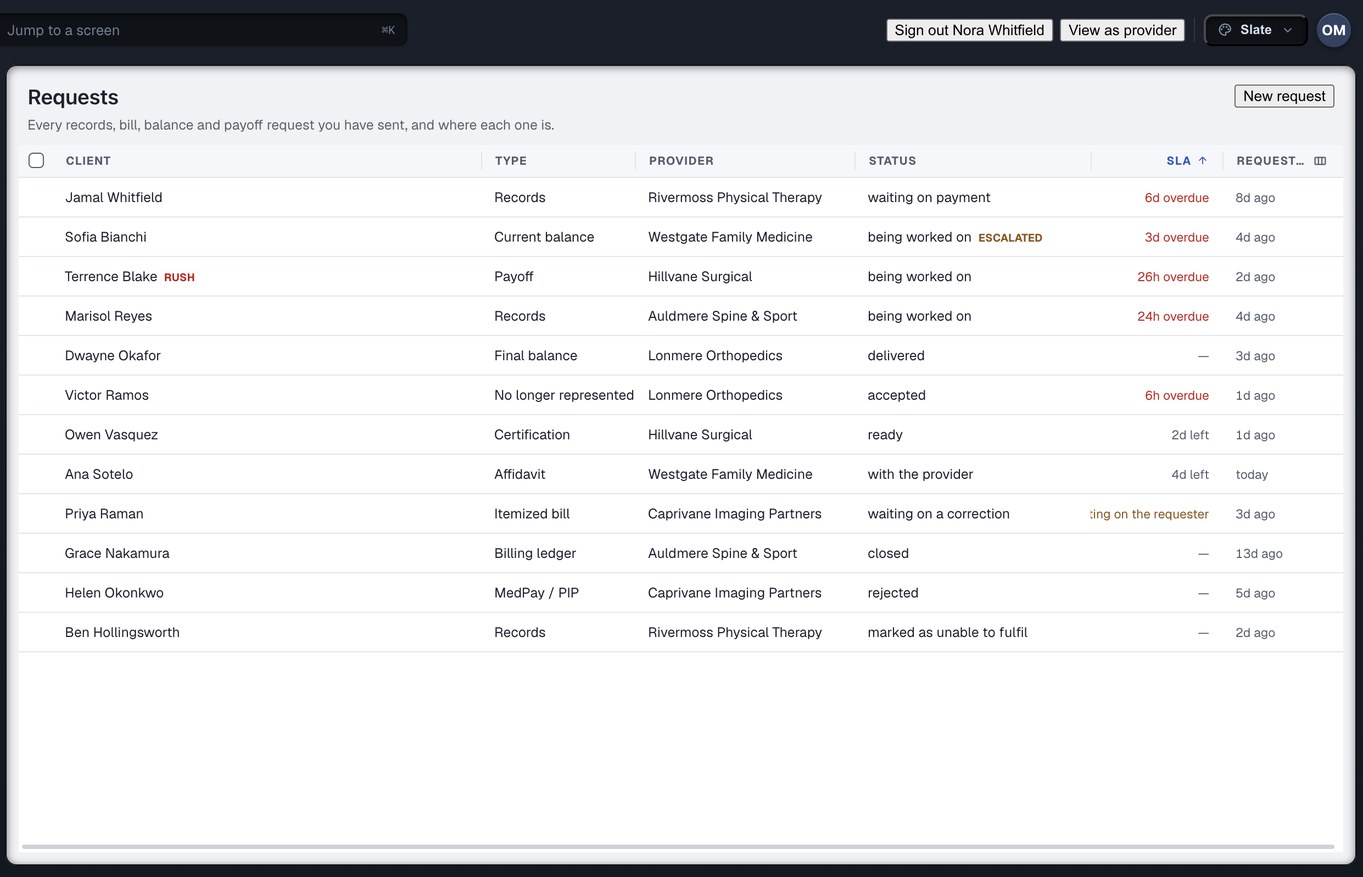
A correction never erases what it corrected. Captured from the running build, 24 September 2026. Demonstration data — every name, matter and figure is a fixture, not a real client, clinic or balance.
Some record types are in no preset, on purpose
A preset is what makes the request builder fast: one click fills the materials in. It is also, in every system that has one, how a category nobody meant to ask for ends up in the packet. So the separately-protected record types are in no preset at all. There is no one-click complete chart that can sweep them in, because they are not in the list the click fills.
Asking is a deliberate act
To include a separately-protected category you tick it yourself, knowing what you are ticking. It cannot arrive in the request as a side effect of choosing a preset, and nothing is expanded behind your back at send time.
It raises a finding
The tick is not silent. It raises a finding on the request that names what was asked for and what would clear it — the same finding shape everything else in the Exception Center uses, so it cannot be lost in a different queue.
The composer refuses, and says why
If the release on file does not cover that clinic, those dates or those materials, the request will not send. Not a warning you can click through — a refusal, with the gate it failed named in a sentence.
And on the way back, a scope check
Authorisation is checked in both directions. When documents arrive, anything outside the authorised date range or outside the authorised categories is flagged before it reaches the firm — because a clinic sending more than was asked for is a problem for the firm that receives it, not a windfall.
What sits under all of it
These are facts about the build, counted on 24 September 2026 — not customer outcomes. Injury Docs is new and has none of those to quote, and we would rather print nothing than print a guess.
Built to be checked, not to be believed
Every count on this page comes from the build. Walk the sequence a request actually takes, or bring us a matter and we will show you the same figures on screen.
Want the sequence end to end? Read how it works →